Just to let every one know, if you don't already. Revit 64bit is now available for download for Architecture, Structure and MEP. You need to log in to the Autodesk Subscription site to get this. Here's a press release from Autodesk...
SAN RAFAEL, Calif., Sept. 30 /PRNewswire-FirstCall/ -- Autodesk, Inc.,(NASDAQ: ADSK) today announced that versions of its Revit software applications for Building Information Modeling (BIM) specifically designed for personal computers using Windows 64-bit operating systems are now available. This marks the company's first venture into 64-bit BIM applications and applies to Revit Architecture 2009, Revit Structure 2009 and Revit MEP 2009. The 64-bit versions are now available to existing Revit platform software subscribers. Customer beta testers reported that the newsoftware applications offer significantly improved performance and stabilityfor memory intensive tasks such as rendering, printing, model upgrading andfile importing and exporting. Some examples of their experience include:
"In every single test I threw at the Revit Structure for the 64-bit system it beat the 32-bit system," said Ken Murphy, BIM manager, Thornton Tomasetti. "On average, we observed approximately a 20 percent performance gain on operations such as saving files and exporting models to other formats for outside consultants. And when it comes to rendering images of large project models, such as an American football stadium with thousands of members, we saw up to a 50 percent performance improvement over the 32-bit platform."
"With 64-bit Revit Architecture we can completely load a very large project into a session and work on it at one time; and that is something that represents a significant efficiency improvement over the 32-bit environment,"said Lonnie Cumpton, Revit task force manager for the Friedmutter Group. "For example, we have a large project that consists of 2.9 gigabytes of Revit data contained in 22 individual files. With 64-bit Revit Architecture we can link all the pieces together into one big model and cut an entire building section to gain an understanding from a section elevation standpoint of the entireproject at one time. Using 32-bit Revit Architecture we'd have to cut individual pieces of sections in each model and then piece them back together. It took us a day to do that. Now we can do it in less than an hour."
"We've been beta testing the 64-bit Revit Structure software and the increases in efficiency and productivity are impressive," said Jamie Richardson, Associate & CAD manager, Ericksen Roed & Associates. "Cutting sections and switching between views is much faster. Moving within the viewsand rotating the model in a 3D view is also noticeably faster and smoother.With what we have seen in our beta testing, and what we're hearing from userstesting the beta on their current projects, we see no reason not to go to the64-bit version of Revit Structure."
The English language versions of new 64-bit Revit software applications areavailable now to existing Revit Architecture 2009, Revit Structure 2009 andRevit MEP 2009 subscribers via the online Subscription Center. The 64-bit software will release in other languages at a later date.
"We're very excited to hear our beta testers report stunning performance gains with the native 64-bit versions of the Revit software applications,"said Jay Bhatt, senior vice president, Autodesk AEC Solutions. "Breaking the four gigabytes RAM barrier is an important milestone, which helps ourcustomers experience the power of BIM in even their largest projects."
Tuesday, September 30, 2008
Friday, September 26, 2008
Caution: Import DWG Lines Move
I read this on Steve Stafford's blog and wanted to spread the word. I have sent this to Autodesk as a support issue. I would recommend for you to do the same!
"Revit alters the lines in a imported cad file if they are very nearly horizontal or vertical. It has done this for quite some time. It isn't clear if it isn't a problem very often or if it isn't noticed very often. I'm reminded of this issue by a recent post at AUGI naturally.In this instance a member wrote that a property line (in a cad import) whose bearing is 89 degrees 57 minutes and 56 seconds is altered by Revit to simply 90 degrees even. The cad file isn't "changed" but what we see of it in Revit is."
Complete article...http://revitoped.blogspot.com/2008/09/dwg-import-lines-nearly.html
"Revit alters the lines in a imported cad file if they are very nearly horizontal or vertical. It has done this for quite some time. It isn't clear if it isn't a problem very often or if it isn't noticed very often. I'm reminded of this issue by a recent post at AUGI naturally.In this instance a member wrote that a property line (in a cad import) whose bearing is 89 degrees 57 minutes and 56 seconds is altered by Revit to simply 90 degrees even. The cad file isn't "changed" but what we see of it in Revit is."
Complete article...http://revitoped.blogspot.com/2008/09/dwg-import-lines-nearly.html
Model Lines to Detail Lines and back
Thanks to Yogesh Ishwar for this tip...
If you have Model lines and want to change them to Detail Lines do the following:
Cut Model Lines
Start Filled Region Command
Paste Aligned-Same Place
Cut Lines again
Close Filled Region Command without saving
Paste Aligned-Same Place. These lines will now be Detail Lines
If you want to go the other way just replace Filled Region command with the Floor command.
If you have Model lines and want to change them to Detail Lines do the following:
Cut Model Lines
Start Filled Region Command
Paste Aligned-Same Place
Cut Lines again
Close Filled Region Command without saving
Paste Aligned-Same Place. These lines will now be Detail Lines
If you want to go the other way just replace Filled Region command with the Floor command.
Monday, September 22, 2008
Tagging and Scheduling Nested Families
Challenge: You want a door and a window to be inserted as one, but you want to tag and schedule them individually.

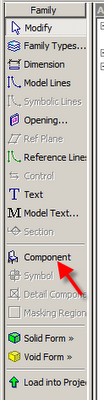
This can be done the following way.
Open window family.
Make sure the shared button is checked. Under Settings, Family Category and Parameters.

Open the door family.
Insert the window as a component.

Make sure the shared button is checked. Under Settings, Family Category and Parameters.
When you insert the nested family you will be able to tag and schedule each object.
Friday, September 19, 2008
Metric and Imperial Units in Tags and Schedules
Metric and Imperial Units in Tags: 

Open the Tag family.
Add the Area label.
Edit the unit format.

Metric and Imperial Units in Schedules:
Add a calculated value
Type: Area
Formula: Area
Go to the Formatting tab and adjust the units format for the new parameter.

Wednesday, September 10, 2008
Using IES Files in revit Architecture 2009
Thanks to Yogesh Ishwar for this one.
To specify an IES file for a light source
Obtain the desired IES file.
You can obtain an IES file directly from the manufacturer, or use an IES file provided by Revit Architecture. The Revit IES files reside in the following location, by default:
C:\Program Files\\Data\Electrical Components\IES
Specify Photometric Web light distribution, as follows:
Open the lighting fixture family in the Family Editor.
In the drawing area, select the light source.
On the Options Bar, click Light Source Definition.
For Emit from Shape, select the desired shape.
For Light distribution, select (Photometric Web).
Click OK.
Save changes to the lighting fixture family.
Specify the IES file to use, as follows:
If you want the IES file to define light distribution for the entire lighting fixture family, keep the lighting fixture family open in the Family Editor. Click Family Types. For Name, select the family type to modify.
If you want the IES file to define light distribution for selected instances of the lighting fixture family, open a project that uses it, and select a lighting fixture in the project. Right click, and click Element Properties. Click Edit/New. Click Duplicate, specify a name for the new family type, and click OK.
In the list of type parameters, scroll down to Photometric.
For Photometric Web File, click in the Value column.
Click (Browse).
Note: The Browse button displays after you click in the field.
Navigate to the desired IES file, select it, and click Open.
Click OK.
Save changes to the project or the lighting fixture family.
In the drawing area, the shape of the light source reflects the specified IES file. To see the light source in a project view, you must make light sources visible.
To specify an IES file for a light source
Obtain the desired IES file.
You can obtain an IES file directly from the manufacturer, or use an IES file provided by Revit Architecture. The Revit IES files reside in the following location, by default:
C:\Program Files\
Specify Photometric Web light distribution, as follows:
Open the lighting fixture family in the Family Editor.
In the drawing area, select the light source.
On the Options Bar, click Light Source Definition.
For Emit from Shape, select the desired shape.
For Light distribution, select (Photometric Web).
Click OK.
Save changes to the lighting fixture family.
Specify the IES file to use, as follows:
If you want the IES file to define light distribution for the entire lighting fixture family, keep the lighting fixture family open in the Family Editor. Click Family Types. For Name, select the family type to modify.
If you want the IES file to define light distribution for selected instances of the lighting fixture family, open a project that uses it, and select a lighting fixture in the project. Right click, and click Element Properties. Click Edit/New. Click Duplicate, specify a name for the new family type, and click OK.
In the list of type parameters, scroll down to Photometric.
For Photometric Web File, click in the Value column.
Click (Browse).
Note: The Browse button displays after you click in the field.
Navigate to the desired IES file, select it, and click Open.
Click OK.
Save changes to the project or the lighting fixture family.
In the drawing area, the shape of the light source reflects the specified IES file. To see the light source in a project view, you must make light sources visible.
Tuesday, September 09, 2008

Friday, August 08, 2008
Always Name Views - use F2
You should always name new views. To that end...
When renaming a view just click on the view name in the Project Browser and then press the F2 key on the keyboard.
When renaming a view just click on the view name in the Project Browser and then press the F2 key on the keyboard.
Tuesday, July 29, 2008
Revit Architecture 2009 Extensions
You can now download Revit Architecture 2009 Extensions from the Autodesk Subscription Center. Some impressions:
Freeze Drawings: create a 2D drafting view of a plan, elevation or section view.
Text Generator: A few more bells and whistles for text. A temporary solution I hope.
Grids Generator: This is a step in the right direction for creating and editing levels and grids.
One thing of note, you can choose to display your grids in 3D. This will draw unconstrained model lines on top of the grids.While I like the idea of these extensions, and in some cases they are badly needed, I find them disappointing. They seem incomplete as compared to the Revit Structure extensions.
Freeze Drawings: create a 2D drafting view of a plan, elevation or section view.
Text Generator: A few more bells and whistles for text. A temporary solution I hope.
Grids Generator: This is a step in the right direction for creating and editing levels and grids.
One thing of note, you can choose to display your grids in 3D. This will draw unconstrained model lines on top of the grids.While I like the idea of these extensions, and in some cases they are badly needed, I find them disappointing. They seem incomplete as compared to the Revit Structure extensions.
Wednesday, July 23, 2008
Curtain Wall Louvres
The easiest way to make louvres on/in curtain panels is to do the following:
Make a mullion profile of the shape and offset desired. Load into project.
Make a (louvre) curtain wall type which includes above mentioned mullion profile and desired spacing.
Using the TAB key Insert louvre curtain wall type in place of panel at desired locations.
Credit to Daniel Friesen from the AUGI forum.
I would like to add one more thing to this...
If you would like to have a single panel of glass behind the louvres you may need to do this:
Make a curtain wall with the conventional mullions and glass panels.
Make a curtain wall that only contains a modified mullion that acts as a louvre. Its panel will be the empty panel type.
Draw this curtain wall in front of panels that need louvres. You may lock/constrain it to the backing curtain wall.
Make a mullion profile of the shape and offset desired. Load into project.
Make a (louvre) curtain wall type which includes above mentioned mullion profile and desired spacing.
Using the TAB key Insert louvre curtain wall type in place of panel at desired locations.
Credit to Daniel Friesen from the AUGI forum.
I would like to add one more thing to this...
If you would like to have a single panel of glass behind the louvres you may need to do this:
Make a curtain wall with the conventional mullions and glass panels.
Make a curtain wall that only contains a modified mullion that acts as a louvre. Its panel will be the empty panel type.
Draw this curtain wall in front of panels that need louvres. You may lock/constrain it to the backing curtain wall.
Tuesday, July 22, 2008
IES Plugin and Phases
You can now set the phase to export to the IES plugin analysis. Here's how:
Settings-Project Information-Energy Data-Project Phase
Settings-Project Information-Energy Data-Project Phase
Monday, July 14, 2008
Show Light Cone
Nice post from Mike Hardy-Brown's blog...
http://reviteer.blogspot.com/2008/07/revit-arch-2009-lights.html
Neat little trick with lights.
Instead of rendering to see where your light source definition will render lit portions, go to your visibility graphics (VG), show the lights on in shaded or hidden line views. Switch on Light Source. Also nice to have an override here. I used a blue overhead line. Sectional Elevation representation of light source definition.
http://reviteer.blogspot.com/2008/07/revit-arch-2009-lights.html
Neat little trick with lights.
Instead of rendering to see where your light source definition will render lit portions, go to your visibility graphics (VG), show the lights on in shaded or hidden line views. Switch on Light Source. Also nice to have an override here. I used a blue overhead line. Sectional Elevation representation of light source definition.
Thursday, July 03, 2008
Export as Polylines

When exporting to AutoCAD you can export Room and Area boundaries as polylines.
1. File-Export CAD Formats
2. Options
3. Click Export Rooms and Areas as polylines
Wednesday, July 02, 2008
3D Details
To make a 3D Detail of an existing section or elevation:
1. Make a 3D view and name it
2. Turn on Section Box in the View Properties
3. View(drop down menu)-Orient-To Other View...-Pick your view
4. Orbit 3D view to desired location
1. Make a 3D view and name it
2. Turn on Section Box in the View Properties
3. View(drop down menu)-Orient-To Other View...-Pick your view
4. Orbit 3D view to desired location
Thursday, June 26, 2008
Autodesk News...
Don't ask me what the big picture is with all of these aquisitions, but I thought you might want to know...
Autodesk Enhances Sustainable Design Capabilities with Acquisitions of Ecotect and Green Building Studio Analysis Tools
Autodesk Enhances Sustainable Design Capabilities with Acquisitions of Ecotect and Green Building Studio Analysis Tools
Autodesk Completes Acquisition of Assets of Square One Research and Green Building Studio
SAN RAFAEL, Calif., June 26, 2008 — As part of its on-going commitment to support the practice of sustainable design and green building in the architecture, engineering and construction (AEC) industries, Autodesk, Inc. (NASDAQ: ADSK) today announced two acquisitions to improve building performance analysis in the building information modeling (BIM) process. Autodesk announced that it has completed the acquisition of substantially all the assets related to the Ecotect software tools for conceptual building performance analysis from both Square One Research Ltd. and Dr. Andrew Marsh. Autodesk also announced that it has completed the acquisition of substantially all the assets of Green Building Studio, Inc., a provider of web-based whole building energy, water and carbon-emission analysis software. Terms of the acquisitions were not disclosed.
“Buildings are a leading contributor to greenhouse gas emissions, so to combat climate change it is critical for the building industry to rapidly adopt sustainable design practices that will lead to buildings which are appreciably more efficient and eventually carbon neutral,” said Jay Bhatt, senior vice president, Autodesk AEC solutions. “The addition of these tools to our technology portfolio will help make it easier for architects, engineers and designers to understand the impact of their design decisions on building performance earlier in the design process so they can optimize for reduced environmental impact.”
The acquisitions of Ecotect and the Green Building Studio assets will support Autodesk’s vision to deliver software that enables architects and engineers to design more sustainable projects. With improved building performance analysis capabilities, Autodesk will be uniquely positioned to offer a comprehensive suite of software solutions for sustainable design and analysis, enabling a BIM process that can facilitate cost-effective design and delivery of high-performing, resource-efficient buildings and infrastructure.
Square One Research, Ltd. and Dr. Andrew Marsh, creator of the Ecotect environmental design and analysis tools, are based in Isle of Man. The Ecotect tools can measure how fundamental criteria, such as solar, thermal, shading, lighting, and airflow, will affect building performance in the conceptual and detailed phases of design. Their capability to forecast building performance over time better equips architects and engineers to deliver more energy efficient and sustainable building designs.
“Square One Research and Autodesk share a commitment to using technology to make the design and construction of sustainable, high-performance buildings easier and more efficient,” said Dr. Andrew J. Marsh, Co-Founder and Head of Research & Development, Square One Research. “We are pleased to join Autodesk and look forward to helping develop and deliver simple and effective building performance analysis to architects and engineers around the world.”
The Autodesk Green Building Studio analysis tools, now available at http://www.autodesk.com/greenbuildingstudio, provide improved design insight through whole building energy, water and carbon-emission analysis, helping architects and designers to maximize building economic and environmental performance. The tools are compatible with Autodesk design software as well as software from other industry providers through the Green Building XML (gbXML) schema and can now be directly accessed from within the Revit platform for BIM with a new plug-in now available for download. Green Building Studio Inc. launched the Green Building Studio web service in 2004.
To read more about how Autodesk and its customers are addressing sustainable design, please visit www.autodesk.com/green.
Safe Harbor Statement
Further information on potential factors that could affect the financial results of Autodesk are included in the company's reports on Form 10-K for the year ended January 31, 2008, and Form 10-Q for the quarter ended April 30, 2008 which are on file with the Securities and Exchange Commission.
Revit Resource
http://offers.autodesk.com/8/87216/
This is what you will find...
This is what you will find...
“Voices of Architecture Podcast Library” where you’ll find a series of podcast interviews including:
Bob Berkebile, BNIM – Bob discuss the topic of Architecture and Public Identity and why it is a hot topic in the industry. Bob also describes one of the most interesting projects his firm is currently working on today, what he sees as a key trend in global architecture and the importance of BIM knowledge as a key factor when evaluating employee prospects.
Mark Dietrick, Burt Hill – Mark comments about the biggest new trends in the architecture industry, and what Burt Hill looks for in terms of BIM knowledge when searching for new employees.
John Moebes, Director of Construction for Crate & Barrel - Mark discusses how the Revit platform helps his company improve the design and build process, what Revit platform solutions they use, how Crate & Barrel has adopted integrated project management, and what he sees as the biggest new trend in architecture today.
Wednesday, June 04, 2008
Render Hotfix
Please see this article if you are having crashing issues when rendering...
http://usa.autodesk.com/adsk/servlet/ps/dl/item?siteID=123112&id=11294295&linkID=9240618
ps, this applies to the AutoCAD renderer.
http://usa.autodesk.com/adsk/servlet/ps/dl/item?siteID=123112&id=11294295&linkID=9240618
ps, this applies to the AutoCAD renderer.
Tuesday, June 03, 2008
The Revit Wave Has Hit!
I haven't been posting as much as I would like. It's not for lack of content but a huge wave of Revit implementations, training, support etc. Here's something....
IES Plugin for 2009
Some (including me) could not find the latest page for the IES plugin download for Revit Arch 2009.http://www.iesve.com/content/default.asp?page=s97_2Just download install and restart and you will see the IES toolbar right there.
IES Plugin for 2009
Some (including me) could not find the latest page for the IES plugin download for Revit Arch 2009.http://www.iesve.com/content/default.asp?page=s97_2Just download install and restart and you will see the IES toolbar right there.
Thursday, April 24, 2008
Revit 2009 Thank You
I would like to thank the development team for producing an excellent new release. The rendering is an instant improvement and even easier to use. There are many other smaller fixes and enhancements which have been on my list for a while. I even have heard rumors of a 64bit version coming out this year which is sorely needed. Revit structure has too many enhancements to mention along with the amazing extensions from Robobat. Revit MEP continues to add and refine. Looks like it's going to be another fun year with Revit.
Tuesday, April 08, 2008
Revit 2009 Shipping Date
An update on shipping dates for the entire Revit 2009 line of products:
April 15, 2008
April 15, 2008
Monday, March 24, 2008
Great Revit Learning SIte
This site is great for finding help on almost anything! Many common questions are answered.
FYI, some of the info is a little outdated. Still good though.
FYI, some of the info is a little outdated. Still good though.
Use files to create an instant toposurface

If you can obtain a csv (Points File) from the surveyor which contains coordinate points, this can be used to create a Revit topography surface.
If you can obtain a dwg with contours (polylines at proper Z elevations) you can import that and use the Import Instance function to create a toposurface. Keep in mind that the contours usually come in at the geodetic height unless otherwise edited. You may want to bring it closer to a zero Z elevation in AutoCAD before importing it for easy use.
If you choose to use a dwg with polyline contours as the topography base do the following things...
Open the dwg in AutoCAD and isolate the layer with the contours
Erase any non-essential info
purge, audit and save the dwg
In Revit:
Start the Toposurface Tool
Import/Link CAD Formats-Choose the contour dwg
Click Use Imported from the sidebar menu
Select Import Instance
Finish Sketch
Floor Pattern Legend
The Revit Legend tool will not show floors in plan as of R2008. In the meantime, here's a way...
1. make callout of floor in plan view
2. tag by material
3. crop as needed
4. drag and drop on sheet
repeat as needed
This will be a dynamic 'legend' which will not require much updating. It could be applied to many other things as well; walls, families etc.
1. make callout of floor in plan view
2. tag by material
3. crop as needed
4. drag and drop on sheet
repeat as needed
This will be a dynamic 'legend' which will not require much updating. It could be applied to many other things as well; walls, families etc.
Thursday, March 20, 2008
March 26 ORUG Meeting
Date: Wednesday March 26, 2008
Time: 6:30 PM to 9:00 PM.
Location: Alice Fazooli's, 294 Adelaide St W, Toronto ON, M5V 1P6.
Click here for map. For those taking the TTC, it is conveniently located near both Osgoode and St. Andrew stations on the Yonge-University-Spadina line.
Content: The BIM Model: New Concerns and Opportunities
Liability Conversation
This portion will be an interactive, moderated discussion with Charles to discuss industry concerns about legal liabilities and the BIM model.
Charles Simco - Shibley Righton LLP Charles has been recognised as an expert in the practice of Construction law and professional liability. He has been invited to speak about a variety of topics relating to his expertise at various legal and construction organizations.
Printing a Tactile 3D Model
Allan and his Technical Expert will discuss big picture reasons for using 3D printing as well as technical procedures. He may also offer free services as a giveaway.
Allan M. Agard - Entire Imaging Solutions Inc.Using 3D CAD files, Entire has been providing professionals with the highest quality digital 3D colour replication models for the past 36 years. Customization is provided to meet the specific needs of every client. Models are produced in days.
If you would like to become an ORUG member or attend this meeting as a guest, please contact Jay Polding at jpolding@cadmicro.com.
Time: 6:30 PM to 9:00 PM.
Location: Alice Fazooli's, 294 Adelaide St W, Toronto ON, M5V 1P6.
Click here for map. For those taking the TTC, it is conveniently located near both Osgoode and St. Andrew stations on the Yonge-University-Spadina line.
Content: The BIM Model: New Concerns and Opportunities
Liability Conversation
This portion will be an interactive, moderated discussion with Charles to discuss industry concerns about legal liabilities and the BIM model.
Charles Simco - Shibley Righton LLP Charles has been recognised as an expert in the practice of Construction law and professional liability. He has been invited to speak about a variety of topics relating to his expertise at various legal and construction organizations.
Printing a Tactile 3D Model
Allan and his Technical Expert will discuss big picture reasons for using 3D printing as well as technical procedures. He may also offer free services as a giveaway.
Allan M. Agard - Entire Imaging Solutions Inc.Using 3D CAD files, Entire has been providing professionals with the highest quality digital 3D colour replication models for the past 36 years. Customization is provided to meet the specific needs of every client. Models are produced in days.
If you would like to become an ORUG member or attend this meeting as a guest, please contact Jay Polding at jpolding@cadmicro.com.
Friday, February 15, 2008
Thursday, February 14, 2008
ORUG March Meeting and Other News
Our next ORUG meeting will be March 26, 2008
When: Wednesday, March 26 2008 from 6:30pm to 9:00pm.
Location: Alice Fazooli's, 294 Adelaide St W, Toronto ON.
Theme: The BIM Model: New Concerns and Opportunities
The BIM Model- Liability Conversation
The BIM Model- “3D Printing” a Tactile Model
Invitations will be emailed in early March.
More details to follow…
Autodesk to Acquire Green Building Studio
After nearly 10 years of market changing innovation, Green Building Studio is delighted to announce we have signed an agreement for Autodesk, Inc. to acquire our assets. In other words, our Green Building Studio (GBS) web service will soon join the Autodesk product family. Please be assured that our talented team will continue to sell software and train and support architects as they use our web service to design carbon neutral buildings today and in the future.Read more…http://www.greenbuildingstudio.com
Extensions for Revit®
Revit® Extensions are a series of easy to use applications that extend the capabilities of Revit in various key areas, including structural analysis and reinforced concrete drafting.On January 15 2008, Autodesk completed the acquisition of Robobat who develops these Extensions. All Extensions for Revit Structure formerly developed by Robobat, both fee and free, are now available through the Autodesk Subscription Program.Visit the Autodesk’s Subscription page under Services and Support to find out more about this service and becoming a member. Revit Structure Subscription customers can login to the Subscription Center and download the Revit Extensions at no additional cost.
A great example… Revit 2008 Worksharing Monitor
The Worksharing Monitor facilitates the use of Revit software in a worksharing environment, in which multiple people work on one project. For workshared projects, the Worksharing Monitor answers questions like the following: Who is currently working on this project? Is my local copy of the project up to date? When will my Save to Central operation finish? Has my request to borrow elements been granted? Are any issues interfering with my work on a Revit project? More info…http://www.extensions4revit.com/n/e4r
Autodesk VIZ to become Autodesk® 3ds Max® Design 2009
With the increasing demands for trained staff and richer toolsets, we noticed a significant movement of Autodesk® VIZ software customers to Autodesk® 3ds Max® software. We also learned that approximately 90% of VIZ customers would prefer to use 3ds Max. In surveying our customers, we learned they want:-New features and capabilities to ease the creation of stunning imagery and cinema-quality visualizations-The ability of 3ds Max to handle even the most complex projects-Access to a much larger community of peers and talent pool-Easy transfer of knowledge and data from VIZ to 3ds MaxTo satisfy these desires, we intend to introduce Autodesk® 3ds Max® Design 2009 software, a new and uncompromised version of 3ds Max tailored to the needs of architects, designers, engineers, and visualization specialists.More info… http://pressreleases.autodesk.com/index.php?s=press_releases&item=383%3C%2Ftd%3E
When: Wednesday, March 26 2008 from 6:30pm to 9:00pm.
Location: Alice Fazooli's, 294 Adelaide St W, Toronto ON.
Theme: The BIM Model: New Concerns and Opportunities
The BIM Model- Liability Conversation
The BIM Model- “3D Printing” a Tactile Model
Invitations will be emailed in early March.
More details to follow…
Autodesk to Acquire Green Building Studio
After nearly 10 years of market changing innovation, Green Building Studio is delighted to announce we have signed an agreement for Autodesk, Inc. to acquire our assets. In other words, our Green Building Studio (GBS) web service will soon join the Autodesk product family. Please be assured that our talented team will continue to sell software and train and support architects as they use our web service to design carbon neutral buildings today and in the future.Read more…http://www.greenbuildingstudio.com
Extensions for Revit®
Revit® Extensions are a series of easy to use applications that extend the capabilities of Revit in various key areas, including structural analysis and reinforced concrete drafting.On January 15 2008, Autodesk completed the acquisition of Robobat who develops these Extensions. All Extensions for Revit Structure formerly developed by Robobat, both fee and free, are now available through the Autodesk Subscription Program.Visit the Autodesk’s Subscription page under Services and Support to find out more about this service and becoming a member. Revit Structure Subscription customers can login to the Subscription Center and download the Revit Extensions at no additional cost.
A great example… Revit 2008 Worksharing Monitor
The Worksharing Monitor facilitates the use of Revit software in a worksharing environment, in which multiple people work on one project. For workshared projects, the Worksharing Monitor answers questions like the following: Who is currently working on this project? Is my local copy of the project up to date? When will my Save to Central operation finish? Has my request to borrow elements been granted? Are any issues interfering with my work on a Revit project? More info…http://www.extensions4revit.com/n/e4r
Autodesk VIZ to become Autodesk® 3ds Max® Design 2009
With the increasing demands for trained staff and richer toolsets, we noticed a significant movement of Autodesk® VIZ software customers to Autodesk® 3ds Max® software. We also learned that approximately 90% of VIZ customers would prefer to use 3ds Max. In surveying our customers, we learned they want:-New features and capabilities to ease the creation of stunning imagery and cinema-quality visualizations-The ability of 3ds Max to handle even the most complex projects-Access to a much larger community of peers and talent pool-Easy transfer of knowledge and data from VIZ to 3ds MaxTo satisfy these desires, we intend to introduce Autodesk® 3ds Max® Design 2009 software, a new and uncompromised version of 3ds Max tailored to the needs of architects, designers, engineers, and visualization specialists.More info… http://pressreleases.autodesk.com/index.php?s=press_releases&item=383%3C%2Ftd%3E
Doors From/To Room Schedule
Although you can't tag the door using this feature you can show the room doors are going from and to in the schedule. You will need to create Room Objects. Choose 'Select Available Fields From:' and then you can choose From Room and To Room. Add 'Room Name' to the Scheduled Fields area.

The result...


The result...

Organising the Project Browser
Here's a great tip for organising the Project Browser.
Ever have this problem? You develop your scheme within Revit and before you know it you have a list of Views and Sheets as long as your arm...click link for more
http://www.revitzone.com/index.php?option=com_content&task=view&id=190&Itemid=33
Ever have this problem? You develop your scheme within Revit and before you know it you have a list of Views and Sheets as long as your arm...click link for more
http://www.revitzone.com/index.php?option=com_content&task=view&id=190&Itemid=33
Wednesday, January 09, 2008
New Revit Builds and Plugin
New Builds for all Revit Products:
These are fixing a leap year programming glitch among other small things…
Revit Architecture: http://usa.autodesk.com/adsk/servlet/item?siteID=123112&id=9408083
Revit Structure: http://usa.autodesk.com/adsk/servlet/item?siteID=123112&id=9281007
Revit MEP: http://usa.autodesk.com/adsk/servlet/index?siteID=123112&id=9262907
FREE IES Toolkit Plugin for Revit Architecture:
http://www.iesve.com/content/default.asp?page=s110
These are fixing a leap year programming glitch among other small things…
Revit Architecture: http://usa.autodesk.com/adsk/servlet/item?siteID=123112&id=9408083
Revit Structure: http://usa.autodesk.com/adsk/servlet/item?siteID=123112&id=9281007
Revit MEP: http://usa.autodesk.com/adsk/servlet/index?siteID=123112&id=9262907
FREE IES Toolkit Plugin for Revit Architecture:
http://www.iesve.com/content/default.asp?page=s110
Wednesday, December 05, 2007
Parameter Naming and Formulas
Be careful of the characters you use when naming parameters or labels. Don't use hyphens because they act as 'minus or subtract' when inserted into a formula. As an example: a parameter called 'length-2' would automatically try to subtract 2 from the length every time you enter it in a formula. This would also be true with other characters like * or /.
Thursday, November 01, 2007
Meeting Nov.14, 2007
When: Wednesday, November 14th from 6:30pm to 9:00pm.
Location: Alice Fazooli's, 294 Adelaide St W, Toronto ON. Click here for map.
AGENDA
Reception: Join us for hors d'oeuvres and drinks at 6:30.
Theme: Revit: LEED and Collaboration
Content: A Conversation with Erin Rae Hoffer - AIA, LEED AP, MBAAs
Industry Programs Manager with Autodesk, a leading provider of software for architecture and engineering, Erin Hoffer fosters the adoption of innovative approaches to design and practice. With twenty-five years of experience in technology and computer-aided design, Erin contributed programming for D.O.E solar energy analysis software in the early 80s, developed computer-aided design tools and techniques for architecture and engineering with Skidmore, Owings & Merrill. Prior to joining Autodesk, Erin served as Executive Vice-President with the Boston Architectural College and served on the board of directors of the Boston Society of Architects as Commissioner of Technology. She led technology and services organizations for Harvard, MIT, and Tufts University. She is a LEED Accredited Professional and member of the AIA. Erin received a Master in Architecture from UCLA, and a Master in Business Administration from MIT's Sloan School of Management. She is registered to practice architecture in California.
Revit and IES for LEED: Presentation - Special Guest: Chien Si Harriman from IES-Integrated Environmental Solutions Limited with Jay Polding LEED AP
Learn the secrets of extracting key LEED data from your Revit model. We will compare existing tools and techniques inside of Revit with the information required from the LEED Letter Template. Chien Si Harriman from IES will show us how daylighting, energy consumption and other important simulation data can be calculated using IES simulation software.
Revit Matchmaking Tables: Revit Architecture, Structure and MEP stations will be set up for those who are looking to collaborate on Revit projects.
Registration: Please email your interest in attending to Jay Polding at jpolding@cadmicro.com as soon as possible.
Location: Alice Fazooli's, 294 Adelaide St W, Toronto ON. Click here for map.
AGENDA
Reception: Join us for hors d'oeuvres and drinks at 6:30.
Theme: Revit: LEED and Collaboration
Content: A Conversation with Erin Rae Hoffer - AIA, LEED AP, MBAAs
Industry Programs Manager with Autodesk, a leading provider of software for architecture and engineering, Erin Hoffer fosters the adoption of innovative approaches to design and practice. With twenty-five years of experience in technology and computer-aided design, Erin contributed programming for D.O.E solar energy analysis software in the early 80s, developed computer-aided design tools and techniques for architecture and engineering with Skidmore, Owings & Merrill. Prior to joining Autodesk, Erin served as Executive Vice-President with the Boston Architectural College and served on the board of directors of the Boston Society of Architects as Commissioner of Technology. She led technology and services organizations for Harvard, MIT, and Tufts University. She is a LEED Accredited Professional and member of the AIA. Erin received a Master in Architecture from UCLA, and a Master in Business Administration from MIT's Sloan School of Management. She is registered to practice architecture in California.
Revit and IES for LEED: Presentation - Special Guest: Chien Si Harriman from IES-Integrated Environmental Solutions Limited with Jay Polding LEED AP
Learn the secrets of extracting key LEED data from your Revit model. We will compare existing tools and techniques inside of Revit with the information required from the LEED Letter Template. Chien Si Harriman from IES will show us how daylighting, energy consumption and other important simulation data can be calculated using IES simulation software.
Revit Matchmaking Tables: Revit Architecture, Structure and MEP stations will be set up for those who are looking to collaborate on Revit projects.
Registration: Please email your interest in attending to Jay Polding at jpolding@cadmicro.com as soon as possible.
Thursday, October 25, 2007
Get Paid to Test Revit...AGAIN
Autodesk is once again looking for Architects or architectural
technologists who are current users of Revit to help us with a new study
we will be doing during the week of November 5 to 9 in Toronto.
For this study, we will ask you to come into our office (at King and
Sherbourne) some time during the day or in the evening. You'll try out
prototypes of new software features while we watch and ask you
questions. The sessions will take no more than 2 hours, and you will be
paid for your participation. (Payment is $100 in the form of a gift
card from your choice of major retailers.)
To participate in this study, you must have at least six months
experience using Autodesk Revit. If you participated in the study we
did in August, you may still participate in this study.
If you are interested in participating, please call Kelly Ellis at 416-874-8536. We will
contact you to book a mutually convenient time for you to come in.
technologists who are current users of Revit to help us with a new study
we will be doing during the week of November 5 to 9 in Toronto.
For this study, we will ask you to come into our office (at King and
Sherbourne) some time during the day or in the evening. You'll try out
prototypes of new software features while we watch and ask you
questions. The sessions will take no more than 2 hours, and you will be
paid for your participation. (Payment is $100 in the form of a gift
card from your choice of major retailers.)
To participate in this study, you must have at least six months
experience using Autodesk Revit. If you participated in the study we
did in August, you may still participate in this study.
If you are interested in participating, please call Kelly Ellis at 416-874-8536. We will
contact you to book a mutually convenient time for you to come in.
Tuesday, October 09, 2007
Monday, October 01, 2007
Make Impressions and Voids in Walls
This video shows how to make impressions of any shape into walls. This method can also be applied to other objects like roofs, floors etc.
Thursday, September 27, 2007
Custom Door to Wall Family
This video explains how to adjust the door family to trim the wall connection. An example would be rounded corners of a CMU wall at entry locations.
Tuesday, September 04, 2007
Revit and LEED
Today I passed my LEED exam and, in a small way, I have Revit to thank. While practicing using the LEED Letter template I was amazed at how often I was able to pull up a needed site or roof area. Or if I needed totals for building materials, occupancy, plumbing fixtures, it was all at my fingertips. With a little practice with formulas in schedules, Revit Arch is a great LEED Tool.
And looking to the future, I can see Especs, Revit MEP with IES as having awesome potential. A dedicated project website like Buzzsaw would also help with the LEED process.(you might even apply for an ID point with all of the UPS and FedEX deliveries you would save!)
And looking to the future, I can see Especs, Revit MEP with IES as having awesome potential. A dedicated project website like Buzzsaw would also help with the LEED process.(you might even apply for an ID point with all of the UPS and FedEX deliveries you would save!)
Wednesday, August 22, 2007
Wall Layer Lines
Can you edit the individual layers, or component, lineweights of a wall?
Yes. Here's how:
Go to the Visibility/Graphics window (type VV)
Click the 'Cut Line Styles' checkbox under 'Overrides Host Layers'
Click the 'Edit...' button
Change the Line Weight, Colour and Pattern of each wall funtion
This is something that you may want to save in a 'View Template'.
Yes. Here's how:
Go to the Visibility/Graphics window (type VV)
Click the 'Cut Line Styles' checkbox under 'Overrides Host Layers'
Click the 'Edit...' button
Change the Line Weight, Colour and Pattern of each wall funtion
This is something that you may want to save in a 'View Template'.
Monday, August 20, 2007
Lighting and IES in Revit Architecture
Can you import and IES file into Revit Arch?
No, only Revit MEP.
Will the IES file in Revit MEP adjust the rendering?
No, but it will adjust the Average Estimated Illumination table. You can also use IES files in VIZ for rendering.
check out this site.
What kind of lights can you make in Revit; incandescent, fluorescent etc?
You basically have only the power(lumens) and colour to play with. Start with a light family template and then wrap it in a 'solid' which contains an accurender material, like glass. Then adjust the lumen count for power.
No, only Revit MEP.
Will the IES file in Revit MEP adjust the rendering?
No, but it will adjust the Average Estimated Illumination table. You can also use IES files in VIZ for rendering.
check out this site.
What kind of lights can you make in Revit; incandescent, fluorescent etc?
You basically have only the power(lumens) and colour to play with. Start with a light family template and then wrap it in a 'solid' which contains an accurender material, like glass. Then adjust the lumen count for power.
Linked Export DWG Layers
Issue:
When you export a Revit file containing a rvt link to dwg, the colours of the link are set to BYENTITY instead of BYLAYER.
Solution:
1. Export, to CAD Formats
2. Click the Options button
3. Under 'Layers and Properties' choose 'BYLAYER, no overrides'
When you export a Revit file containing a rvt link to dwg, the colours of the link are set to BYENTITY instead of BYLAYER.
Solution:
1. Export, to CAD Formats
2. Click the Options button
3. Under 'Layers and Properties' choose 'BYLAYER, no overrides'
Friday, August 10, 2007
Pulling Wall Layers up and down
This video explains how to adjust the components of a wall. For instance, pulling brick down past a floor system to sit on the top of foundation.
Wednesday, June 27, 2007
Ontario Revit Users Group Meeting
Wednesday, July 11th 6:30
Alice Fazooli's, 294 Adelaide St.W. Toronto
Alice Fazooli's, 294 Adelaide St.W. Toronto
Agenda
Reception: Join us for hors d'oeuvres and drinks at 6:30.
Introduction: Latest News of Revit Use in Ontario and Canada.
The new ORUG logo will be unveiled and Web address announced.
Manufacturer content available and most requested for Revit
ORUG Member Presentation: Discuss specific topics in-depth with experienced Ontario Revit users at four Topic Stations. At least one Revit expert with a computer will be stationed at each table.
The Topics discussed will be:
Families and Content
Presentations and Rendering
Sections and Detailing
What's New in Revit Architecture 2008 (and how to make best use it!)
Friday, June 08, 2007
No Saving in Sketch Mode
This may seem trivial but when you save to in sketch mode Revit will save only what you did before entering sketch mode. My recommendation is to always save before entering sketch mode. If you're working on a very complex sketch you may want to occasionally exit and save if possible.
Monday, June 04, 2007
Missing Callouts Bug
The latest build fixes the following bug:
When upgrading a project from 9.1 to 2008 some plan Callouts disappear when the Crop Region is on.
When upgrading a project from 9.1 to 2008 some plan Callouts disappear when the Crop Region is on.
Friday, May 18, 2007
Conditional Statements Translation..Part 1
You will find the following examples of conditional statements in the Revit help menu if you search for 'conditional'. I wanted to let you know what I learned from these...
First of all, the conditional statement goes into the Formula field of the parameter that you want to control. This formula will automatically fill out the Height value of the example below. Formulas are like a language and Syntax is the spelling.
Now to translate...
The example below is an either/or situation. It's saying 'If the Width is LESS THAN 3000mm THEN the Height will be 2000mm IF NOT (LESS THAN 3000mm) THEN it's 1000mm.
The commas are acting as a THEN and a IF NOT THEN.

This can be taken further by having multiple variables. The example below is found in the help files and provides the syntax for such a case..

First of all, the conditional statement goes into the Formula field of the parameter that you want to control. This formula will automatically fill out the Height value of the example below. Formulas are like a language and Syntax is the spelling.
Now to translate...
The example below is an either/or situation. It's saying 'If the Width is LESS THAN 3000mm THEN the Height will be 2000mm IF NOT (LESS THAN 3000mm) THEN it's 1000mm.
The commas are acting as a THEN and a IF NOT THEN.

This can be taken further by having multiple variables. The example below is found in the help files and provides the syntax for such a case..

Monday, May 14, 2007
Revit Architecture 2008 Tutorials Error
Have you tried downloading the tutorials for RA 2008 yet? If so you probably got an error. The reason is that the files are trying to replace 'read only' files found in your Revit install directory. Here's how to workaround it:
1. Download files
2. Extract to a different folder than the default
You could then overwrite the help file this was intending to replace but you may not want to. The previous file has the link to the site where these help files are supposed to be kept and updated.
It's unfortunate. The developement team could have avoided this issue by a simple test, trying it.
1. Download files
2. Extract to a different folder than the default
You could then overwrite the help file this was intending to replace but you may not want to. The previous file has the link to the site where these help files are supposed to be kept and updated.
It's unfortunate. The developement team could have avoided this issue by a simple test, trying it.
Tuesday, March 27, 2007
Sketchup 6 crashes Revit 9.1
I just had this happen to me and wanted others to know that Revit 9.1 (latest build) crashes when you import a Sketchup 6 file. To avoid this, save down to Sketchup 5 in Sketchup.
This is confirmed on this fine blog:
CAD Shack by Todd Shackelford
This is confirmed on this fine blog:
CAD Shack by Todd Shackelford
Friday, March 23, 2007
ORUG Members in the Globe and Mail
There is an article in the Globe and Mail Real Estate Section today about a Solares' Design Build project. Christine and Tom are both active members of ORUG and are 'sustainable design' advocates in practice.
You can read it on-line at:http://www.theglobeandmail.com/servlet/story
/RTGAM.20070323.re-construction-0323/REStory/RealEstate/
Thursday, March 22, 2007
ESpecs for Revit: Review Part 1
Especs for Revit promises to link the assembly code information from Revit objects with Masterspec in order to create a written specification package. In our initial testing we have found that it does what it promises in this regard. Getting there is not overly complicated as implied by the length of training needed; for the full package, a day and a half. As of today Masterspec is the only standard available which they said that they will be expanding to include CMS, NMS (Canada).
We are currently testing this product and I will post further reviews as we go.
There is a video demo on their site.
http://www.e-specs.com/
We are currently testing this product and I will post further reviews as we go.
There is a video demo on their site.
http://www.e-specs.com/
Structural Objects in Revit Building
Many wonder if the structural objects that come with
Monday, February 19, 2007
The Next Revit
Just saw this and thought you might be interested. This blogger is talking about some of the new stuff that is being developed for the upcoming Revit.
http://knowingwhatyoudontknow.blogspot.com/
2007/02/snooping-under-tree-for-revit.html
http://knowingwhatyoudontknow.blogspot.com/
2007/02/snooping-under-tree-for-revit.html
Thursday, January 04, 2007
Welcome to 2007 ORUG Members!
Our first meeting of the year is scheduled for Feb.21, 2007, starting at 6:30pm
Please email your confirmation to jpolding@cadmicro.com
Location: Alice Fazooli’s
(
M5V 1P6
Tel. (416) 979-1910
Topics:
Revit in Production
A local architect will reveal techniques used to create a full set of construction documents within Revit. This will be followed by a Q+A discussion.
There is an opening for this presentation. If you would like to present or would like to make a suggestion please email Jay Polding-jpolding@cadmicro.com.
Revit Implementation Techniques
The Autodesk recommended steps for a successful Revit implementation. This will be followed by a Q+A discussion.
The winner of the Revit Building NFR is Rosario Tan. The software will be presented at the next ORUG meeting. Thanks to those of you who sent in your input sheets!
Logo Design Competition Update:
So far, we have only one entry. Unless we get more we will have to plaster our lone entry all over our website and t-shirts (you might want to see attached).
Monday, December 11, 2006
Implementation Certified Expert
No, I didn't go to Waltham Mass. (Near Boston) just to have a pint at Cheers (although I did). My main purpose was attending the Revit Implementation Certified Expert (ICE) training. The course was really well taught and developed. It was interesting to meet counterparts from all over the world; Japan, Korea, USA, and even from my little ol' Canada. One thing that was impressed upon me was that even though Revit is easy to use you need a plan to implement it. The other thing is attitude. If someone doesn't want to learn something, forget it. So, choosing the right people for your team is very important. Here are some basic steps to a successful implementation and for project planning in general:
Establish a baseline of where you are; people, projects, workflow, technology etc.
Make a detailed plan; training, deployment etc.
Follow your plan and try not to get sidetracked.
Follow up on your plan and see how you can do things better the next time.
Establish a baseline of where you are; people, projects, workflow, technology etc.
Make a detailed plan; training, deployment etc.
Follow your plan and try not to get sidetracked.
Follow up on your plan and see how you can do things better the next time.
Thursday, October 19, 2006
CDV Systems Video Review
I have recently went through the instructional videos "TLC AR01 TFER - The Family Editor Revealed ". This is found at http://www.cdvsystems.com/
The videos are well organized into 68 vignettes based on topic. The content is accurate and concise. There are also some tips and tricks which the help files don't tell you, these are gems. The only faults that I found was that the audio volume was a little low and the video size had to be adjusted for each of the videos. The price is $30 for each download which I would say is quite reasonable.
The videos are well organized into 68 vignettes based on topic. The content is accurate and concise. There are also some tips and tricks which the help files don't tell you, these are gems. The only faults that I found was that the audio volume was a little low and the video size had to be adjusted for each of the videos. The price is $30 for each download which I would say is quite reasonable.
Thursday, October 12, 2006
Ontario Revit User's Group
Plan to attend the inaugural Ontario Revit Users Group Meeting with guest speakers from KPMB Architects and Phil Read from Autodesk.
When: Wednesday, October 25th 6:30pm to 9:00pm.
Location: Alice Fazooli's,
Agenda
Reception: Join us for hors d'oeuvres and drinks at 6:30.
Introduction: Meet the Ontario Revit User's Group Organizers and dedicated volunteers who are leading the Revit wave in
Revit - Cross Country Checkup: This year has shown tremendous gains in the adoption
of Revit. Caesar Ruest from Autodesk
ORUG Member Presentation: The Revit team from KPMB Architects will discuss their experience with using Revit on the Manitoba Hydro tower project.
Guest Speaker - Phil Read Speaks on Design Iteration in Revit: Phil is a Revit implementation architect with Autodesk and works directly with firms in training, project implementation, and establishing best practices. Phil holds Bachelor of Science degrees
in Communications and Architecture, as well a Master of Architecture degree from the
Q & A: Use this great opportunity to ask questions about your use of Revit.
Thursday, October 05, 2006
Change a Revit Mass Name
Here's how to change the name of a Revit mass object.
1. Go to the Families listing in the Project Browser
2. Find Mass
3. Find Instance, right-click, rename!
1. Go to the Families listing in the Project Browser
2. Find Mass
3. Find Instance, right-click, rename!
Detailing in Revit
Many people who haven't used Revit claim that it doesn't do detailing well. They are wrong in two areas:
1. Revit doesn't 'do' details, a person does. It seems obvious enough but just because you have the ability to cut sections through components doesn't mean that section will know the specific conditions that you need to communicate...
2. Revit does have a robust set of detailing tools that enable you to draw BETTER details than AutoCAD.
You need to ask the following question before you start detailing:
1. Should I model this in 3D, 2D or both?
These questions help you answer this:
a. Will this condition be visible from any other views?
b. Is this a generic detail that is used over different projects, or is it specific to this one only?
c. How far are we into the design, will this part of the building change drastically?
An good example is a door section.
Will you see the structural lintel and flashing from other views? No, draw it in 2D on top of the section/callout view.
What about the connection to the wall, insulation, frame extrusion shapes etc? Again, no. Draw it in 2D overtop of the section/callout view.
Will I see the masonry lintel from another view? Yes. Model the lintel in the door family in 3D so it shows correctly in sections and elevations.
If the door manufacturer has sent their own pre-engineered detail in AutoCAD just import that file into a Drafting View and link it to a callout. Why 'reinvent the wheel'?!
1. Revit doesn't 'do' details, a person does. It seems obvious enough but just because you have the ability to cut sections through components doesn't mean that section will know the specific conditions that you need to communicate...
2. Revit does have a robust set of detailing tools that enable you to draw BETTER details than AutoCAD.
You need to ask the following question before you start detailing:
1. Should I model this in 3D, 2D or both?
These questions help you answer this:
a. Will this condition be visible from any other views?
b. Is this a generic detail that is used over different projects, or is it specific to this one only?
c. How far are we into the design, will this part of the building change drastically?
An good example is a door section.
Will you see the structural lintel and flashing from other views? No, draw it in 2D on top of the section/callout view.
What about the connection to the wall, insulation, frame extrusion shapes etc? Again, no. Draw it in 2D overtop of the section/callout view.
Will I see the masonry lintel from another view? Yes. Model the lintel in the door family in 3D so it shows correctly in sections and elevations.
If the door manufacturer has sent their own pre-engineered detail in AutoCAD just import that file into a Drafting View and link it to a callout. Why 'reinvent the wheel'?!
Friday, September 15, 2006
Ontario Revit Users Group
Revit Ontario Users Group Meeting
Plan to attend the inaugural Ontario Revit Users Group Meeting on Wednesday October 25th from 7:00PM to 9:00PM.
Location: Alice Fazooli's, 294 Adelaide Street West, Toronto, ON
Agenda: Introduction to the ORUG organizers, report on Revit usage across Canada, update on Revit development, guest speaker, Q+A, networking, food and drink.
Registration: Please email your interest in attending to Jay Polding at jpolding@cadmicro.com
Friday, September 08, 2006
What's Really New in Revit 9.1
First off, I would like to say, after reviewing this release, GREAT JOB and THANK YOU to the development team. They have listened to us, the users, and fixed some of the persistent issues that have been coming up.
I would categorize the enhancements into two areas:
Talking to other programs
Autodesk has purchased FM Desktop which will allow Revit and AutoCAD to mesh into the Facilities management arena. Great idea. They have also acquired Robobat, a leading engineering calculations software. Great idea. What this means is a more disciplines working based on the Revit model. So this is where the development team has to integrate existing functions into all of the other necessary programs.
Adding common wishlist items
As we all know, details are critical. We make suggestions and the Revit team is listening. Is their reaction time fast enough? We have to balance our reaction to this. No, we don't want them to be complacent but at the same time we need to be realistic. They did fix some of my wishlist items but the major test will be what release 10 fixes and adds.
Here we go...
Selecting units for DWG export (Talking to other programs)(Adding common wishlist items)
You can set the DWG units for projects you export to DWG format. Unit options are feet, inches, meters, centimeters, and millimeters. The default units are inches for imperial projects and meters for metric projects.
Exporting room and area properties to 2D DWF (Talking to other programs)
When you export a project or a view that has rooms or areas to 2D DWF, you can have the room/area properties exported on a separate layer than the geometric representation. Setting this option allows you to view individual rooms and room data when you are exporting a project or a view for use with facility management software (such as Autodesk® FMDesktop), or DWF markup software (such as Autodesk® Design Review).
Specifying the building type and zip code for exported gbXML files (Talking to other programs)(Adding common wishlist items)
You can now specify the building type and zip code for projects that export to gbXML. Several analysis software packages use this information when importing gbXML files to add default design values for energy use and costs, thermal loads, and construction.
Hiding elevation tags(Adding common wishlist items)
You can set the view scale at which elevation tags are hidden in project views. Each elevation tag instance can have a different view scale at which it is hidden.
Improved snapping for section views(Adding common wishlist items)
You can now snap a section line either parallel or perpendicular to a non-orthogonal datum or wall. Snapping to a wall is available in plan views.
Set room bounding condition for columns prior to placement(Adding common wishlist items)(Talking to other programs, especially Revit Structure)
You can now specify whether an architectural column is room bounding before placing it. This setting persists until you change it.
Placing windows and doors on in-place walls in plan view(Adding common wishlist items)
In plan view, you can now place windows and doors on in-place and face-based walls, for example a sloped wall.
Moving end-joined components(Adding common wishlist items)
Components that share a common end join can be moved simultaneously without breaking the join by using a new drag control, or by selecting an option on the context menu. This functionality is available for walls, lines, beams, braces, and line-based families.
New area property for filled region(Adding common wishlist items)
To quickly determine area you can now use the filled region tool and view the new area property.You view the area property for a filled region in its Element Properties dialog. The area value is the area of the region's closed perimeter loop less the area of any closed loops within the perimeter. The area property is reported in the project units (for example, square meters or square feet). The area property is read-only and cannot be scheduled or tagged.
The following topics could be grouped under (Talking to other programs, especially Revit Structure) (Adding common wishlist items)Using the Trim/Extend tool with beams and braces
You can now use the Trim/Extend tool (trim/extend to corner and trim/extend single element options) to trim or extend braces and beams.
Moving braces out of their originating plane
You can now copy, move, mirror, array, and rotate braces out of the vertical plane they were created in. You can accomplish this in plan and 3D views.
Non-planar beam systems
You can create non-planar beam systems in which the elevation of a beam is defined by its sketch lines. Sketched beam lines:
New option for the Layout Rule instance parameterConcrete drawing improvements
Concrete beams that are in the same plane and are joined to the same concrete column (where the beams are wider than the column) automatically clean up.
Automatic concrete joins
Beam Direction Edge tool renamed
New options for sketching beam directions
Different display options for hidden, non-rectangular concrete beams
Independent visibility control for revision clouds and revision tags
Monday, August 28, 2006
Revit 9.1 and Structure 4, SURPRISE!
Wow, that was quick. Here's what Autodesk is saying about this release coming out tomorrow (in Canada anyway):
The Revit Building 9.1 products deliver the best possible information for decision making by increasing support for interoperability and enhancing coordination and quality, while optimizing workflow across the Autodesk Revit product suite. (this is an interchangeable blurb Autodesk uses when it a. doesn't have anything to report b. doesn't want us to know.)
Revit Structure 4 contains many new modeling features, pre-cast concrete and steel content, analytical tools and enhancements for reinforced concrete documentation. Of particular note are the TrussWizard (available only to Subscription customers) and the one-click beam system creation feature. (sound interesting)
Thursday, August 24, 2006
Tell Autodesk how to improve Revit
Just saw this on AUGI, it's a site that helps get our wishlist items onto the next release.
http://www.revitcc.com
http://www.revitcc.com
Tuesday, August 22, 2006
Revit Structure - Book Review
Autodesk Revit Structure 3 - Essentials
Autodesk Official Training Courseware
My Impression:
This is a very good introduction to Revit Structure. The book comes with a CD that contains example projects and tutorials along with a second CD with a full working copy of Revit Structure 3. The course can been done on-screen or by reading the book. All of the examples work and are somewhat realistic. The explanatory text is well written and gives some basic background into structural design.
Autodesk Official Training Courseware
My Impression:
This is a very good introduction to Revit Structure. The book comes with a CD that contains example projects and tutorials along with a second CD with a full working copy of Revit Structure 3. The course can been done on-screen or by reading the book. All of the examples work and are somewhat realistic. The explanatory text is well written and gives some basic background into structural design.
Residential Revit - Book Review
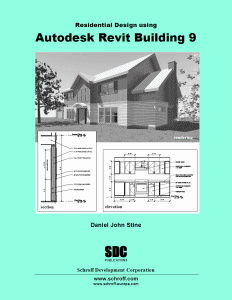
Residential Design using Autodesk Revit Building 9
Author: Daniel John Stine
SDC Publcations
My Impression:
Some instructional books try to please everybody and become too generic. That's definitely not the case with this one. The basics of Revit are applied to imperial unit based, wood frame residential techniques of most of the USA and Canada. The narrative is conversational and easy to understand but needs a good editor and spell checker. I like the large print and diagrams. The approach is to take one project from preliminary drawings to working drawings, details and renderings etc. All of the essentials are covered but nothing really in-depth. This book will help the residential designer or student get up to speed fast with Revit but needs to be followed up with an advanced version.
Friday, July 28, 2006
Revit Books-Reviews
The list of Revit instructional books is growing as Revit is steadily being adopted as the industry standard. Each book seems to have it's strength and it might be necessary to have a couple on-hand.
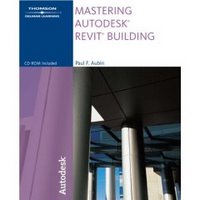
Mastering Autodesk Building
Author: Paul F. Aubin
Thomspson Delmar Learning/Autodesk Press
My Impression:
Overall, this is a very comprehensive book although I would have to say that the name is misleading. It gives the impression that if you read this book you will master Revit. Not so, there's nothing on rendering or creating camera views and very little is said about materials. In-depth tutorials and explanations are given for most of the main topics and example files are provided on a companion CD. It's over 700 pages so get ready for a lot of reading.
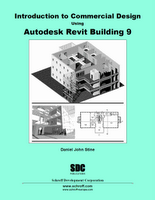
Introduction to Commercial Design Using Autodesk Revit Building 9
Author: Daniel John Stine
SDC Publcations
My Impression:
As an introduction, this is a good start. The reader is taken through a very basic project to demonstrate the funamental tools and what Revit is capable of. There are lots of architectural drafting explanations as to why Revit behaves the way it does. You will finish this book learning the basics and wanting to learn more.

Mastering Autodesk Building
Author: Paul F. Aubin
Thomspson Delmar Learning/Autodesk Press
My Impression:
Overall, this is a very comprehensive book although I would have to say that the name is misleading. It gives the impression that if you read this book you will master Revit. Not so, there's nothing on rendering or creating camera views and very little is said about materials. In-depth tutorials and explanations are given for most of the main topics and example files are provided on a companion CD. It's over 700 pages so get ready for a lot of reading.
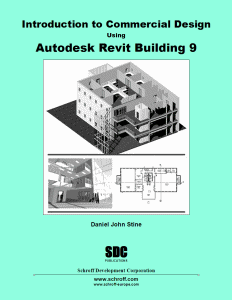
Introduction to Commercial Design Using Autodesk Revit Building 9
Author: Daniel John Stine
SDC Publcations
My Impression:
As an introduction, this is a good start. The reader is taken through a very basic project to demonstrate the funamental tools and what Revit is capable of. There are lots of architectural drafting explanations as to why Revit behaves the way it does. You will finish this book learning the basics and wanting to learn more.
Friday, July 14, 2006
Section Bubbles disappear
Problem: When you change scales in a view the section marks disappear.
This is a setting in the properties of the section mark. This is intended to prevent HUGE section marks at scales like 1:1000 or 1/64"=1'-0". Here's how to change that parameter:
1. Click on section mark
2. Open Properties
3. change the 'Hide at scales coarser than' parameter
This applies to one section annotation at a time.
This is a setting in the properties of the section mark. This is intended to prevent HUGE section marks at scales like 1:1000 or 1/64"=1'-0". Here's how to change that parameter:
1. Click on section mark
2. Open Properties
3. change the 'Hide at scales coarser than' parameter
This applies to one section annotation at a time.
Tuesday, July 11, 2006
View Levels or Sections in 3D
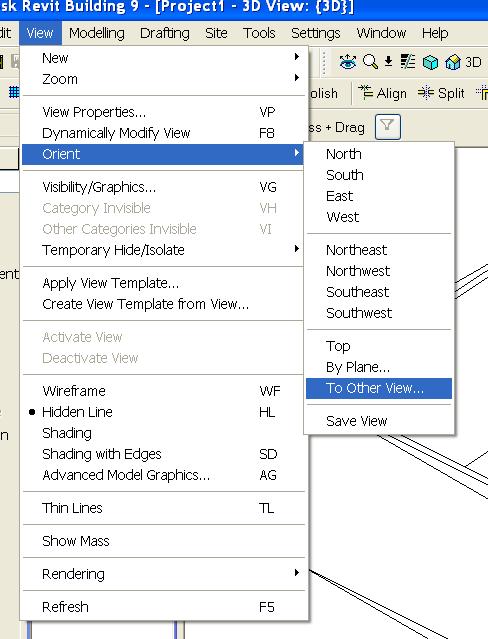
Let's pretend that you have a 20 storey building and you only want to show level 3 in a 3D isometric view. Or you want to make an axonometric projection of each floor. Or you want to see a 3D version of a 2D section. How do you do this? You could use the Section Box feature alone but sometimes it can be slow, depending on the model. And this is not always precise. Here's an alternative:
1. Go to a 3D view
2. Turn on Section Box (this is automatic, see comments)
3. Pulldown menu View-Orient-To Other View
4. Choose one of your Levels or Sections
Your 3D view will look like it turned 2D, but it didn't. If you use the View-Orient-Northeast tool you will see the results. You could also use the Spin tool.
If you want this to be an axonometric than you will need to do this for each floor and then drag and drop them onto a sheet.
Monday, July 10, 2006
Revit Content Wishlist!
Please take this opportunity to submit your content wishlist items. As an example ; more steel sections, or more furniture etc. I can assure you that every entry will be seriously considered!...
You can comment on this thread or just email me your list :jpoldingATcadmicroDOTcom
You can comment on this thread or just email me your list :jpoldingATcadmicroDOTcom
Monday, June 12, 2006
Green Autodesk?
Autodesk has launched a green building website with some interesting information. www.autodesk-centers.com/green/
They've also sponsored an in-depth PBS documentary about the subject featuring Brad Pitt as narrator. This is also available to be downloaded as audio or video/audio.
www.design-e2.com/
They've also sponsored an in-depth PBS documentary about the subject featuring Brad Pitt as narrator. This is also available to be downloaded as audio or video/audio.
www.design-e2.com/
Tuesday, June 06, 2006
Architecture Competition-Importing Sketchup
Use Google Sketchup, Google Earth and Revit (OF COURSE) to design one of three projects.
Here's the competition site:
www.lineofsite.info
Let's show them how Revit can really kick it up a notch!
- Everest Base Camp
- UNDP World Waters Embassy
- Thames Opera House
Here's the competition site:
www.lineofsite.info
Let's show them how Revit can really kick it up a notch!
Friday, June 02, 2006
Revit Builds
Revit is in ongoing development. The developers read the forums at AUGI.com and respond to bug reports etc. These builds are not advertised as thoroughly as they should be. That means that as users we should keep an eye on the Revit forum at AUGI.com because that is usually where it's posted first. The builds are coded so we know which one is the latest. You can find out what version you have by going to Help-About Autodesk Revit. Build 20060518_2300 has just come out and addresses mainly area plan calculations; there is a full discussion of this topic here http://forums.augi.com/showthread.php?t=38578.
Tuesday, May 30, 2006
New Revit Blogs
Here's an interesting blog to keep an eye on. How Revit relates to environmentally friendly design and building. Welcome to the Revit blogsphere Brad!
Green Revit-Brad Hartnagle
http://greenrevit.blogspot.com/
Another jem by Steve Stafford, this blog lists firms that use Revit.
http://www.revitinside.com/
Green Revit-Brad Hartnagle
http://greenrevit.blogspot.com/
Another jem by Steve Stafford, this blog lists firms that use Revit.
http://www.revitinside.com/
Wednesday, May 24, 2006
Rendering Survey
I just saw a link to a rendering with Revit survey on Steve Stafford's blog. (I have a link to his site- RevitOpEd.) This will help Autodesk decide on what rendering engine people want inside Revit. It's only good for 2 more days, May 26.
Friday, May 19, 2006
Walls that keep on going...
Walls in Revit are designed to automatically join when they get within a close distance. This is usually a good thing except when you don't want them to join, then it can be frustrating. Here how to override this:
1. Drag the wall end back from any other walls.
(please see comments for a better step 1. Thank you commentators!)
2. Click on 'Edit Wall Joins' tool.
3. Click on the end that you don't want to join.
4. Click on 'Disallow Joins' in the options bar.
5. Move the wall back into position (it won't recognize the other walls)
The 'Edit Cut Profile' tool is useful when used in combination with this technique. (We'll talk about that tool another time.)
1. Drag the wall end back from any other walls.
(please see comments for a better step 1. Thank you commentators!)
2. Click on 'Edit Wall Joins' tool.
3. Click on the end that you don't want to join.
4. Click on 'Disallow Joins' in the options bar.
5. Move the wall back into position (it won't recognize the other walls)
The 'Edit Cut Profile' tool is useful when used in combination with this technique. (We'll talk about that tool another time.)
Tuesday, May 02, 2006
Find and Replace Text
This tool is found in most Windows based products and is conspicuously absent in Revit. Here's a link to a function that Danny Polkinhorn put together. I've tested it and it works.
http://forums.augi.com/showthread.php?t=30343
http://forums.augi.com/showthread.php?t=30343
Revit 9 Build
Hold off on installing Revit 9 until this Thursday. Autodesk has found a few bugs and is making a build. They said that they will be done sometime on Wednesday, May 3. I'll repost if this date changes.
Friday, April 21, 2006
Happy 13,000th viewer
Sorry, there's no prize. Just a 'thanks for visiting my blog'. The quantity of visits astounds me and leads me to believe that Revit is truly taking hold and fast. Blogs have accelerated this wave because they're a place for honest opinions and views, even if those views and opinions change over time. They also help document an opinion at a given time showing the progress (I hope) of Revit. Thanks again for visiting and stay tuned for further personal perspectives of this revolutionary tool.
Friday, April 07, 2006
What's New in Revit 9?
There are a few nice things. It seems this release is what some would call "evolution" not "revolution". That is not necessarily a bad thing, especially for software that is being adopted as fast as this one. The modifications that I like are:
-shadow studies
-improved control of linked files
-more coordination of room and area objects
Things I’d like to see in version 10 would be:
1. 64 bit
2. Updated and streamlined interface
3. Ironing out existing bugs (found on the AUGI.com wish list)
-shadow studies
-improved control of linked files
-more coordination of room and area objects
Things I’d like to see in version 10 would be:
1. 64 bit
2. Updated and streamlined interface
3. Ironing out existing bugs (found on the AUGI.com wish list)
Thursday, March 30, 2006
Custom Lines (fence line)
You want to draw lines that have other shapes in them eg. --x--x--x--x or --o--o--o--o. These are sometimes used to define a fence. This has to be done with a 'repeating detail'. Here's how:
1. Make a family using the 'detail component' template. This will be the lines and shapes you want to repeat.
2. Load into project.
3. Go to the drafting toolbar. Choose Repeating Detail. Click on properties. Edit/New. Choose the new detail component family as the "Detail". You can set other things like spacing and rotation.
4. Start drawing the repeating detail as if it's a line. This "linetype" can be imported/exported using the "transfer project standards" tool. (I've blogged this as well under "Importing Wall Styles".)
1. Make a family using the 'detail component' template. This will be the lines and shapes you want to repeat.
2. Load into project.
3. Go to the drafting toolbar. Choose Repeating Detail. Click on properties. Edit/New. Choose the new detail component family as the "Detail". You can set other things like spacing and rotation.
4. Start drawing the repeating detail as if it's a line. This "linetype" can be imported/exported using the "transfer project standards" tool. (I've blogged this as well under "Importing Wall Styles".)
Tuesday, March 21, 2006
Exporting to 3D DWF
Email your clients a 3D model that they can spin, zoom, filter components etc. Just go to a 3D view and choose File-Export DWF-3D DWF...
This will create a tiny file that you can email. Here's the link to the writer:
http://usa.autodesk.com/adsk/servlet/index?id=6101824&siteID=123112
Here's the link to the viewer:
http://usa.autodesk.com/adsk/servlet/index?siteID=123112&id=6101821
This will create a tiny file that you can email. Here's the link to the writer:
http://usa.autodesk.com/adsk/servlet/index?id=6101824&siteID=123112
Here's the link to the viewer:
http://usa.autodesk.com/adsk/servlet/index?siteID=123112&id=6101821
Importing Wall Styles
So you know how to load a door family but how about other things like wall styles or maybe text styles? Here's how:
1. Open an existing project (we'll call it project A) that contains the styles you want.
2. Open a the project that you want the styles imported into (project B).
3. While project B is open go to File-Transfer Project Standards...
4. A list will appear with all the styles that you want (from project A). Simply check the ones you want and press OK.
1. Open an existing project (we'll call it project A) that contains the styles you want.
2. Open a the project that you want the styles imported into (project B).
3. While project B is open go to File-Transfer Project Standards...
4. A list will appear with all the styles that you want (from project A). Simply check the ones you want and press OK.
Thursday, March 16, 2006
Line Styles in Family Editor
Line Styles are not available in the Family Editor.
To make your own, you need to go Settings-Object Styles-New (button). You can make a style and apply any of the line patterns to it.
To make your own, you need to go Settings-Object Styles-New (button). You can make a style and apply any of the line patterns to it.
Friday, March 10, 2006
Revit Annotations..continued
Schedule Text
How could I forget? The schedule text style is controlled in the PROJECT (.rvt) and more specifically in the view properties of the individual schedule. Right click in the schedule view and choose ‘view properties’ then ‘appearance’. You can select the fonts, sizes etc. You’ll see the changes only when the schedule is dropped onto a sheet. (The font’s etc will not show in the schedule view only on a sheet.)
Titleblock Text
Titleblocks are a FAMILY. The text inside of a family is controlled within that family. Its styles do not automatically get imported into the project.
How could I forget? The schedule text style is controlled in the PROJECT (.rvt) and more specifically in the view properties of the individual schedule. Right click in the schedule view and choose ‘view properties’ then ‘appearance’. You can select the fonts, sizes etc. You’ll see the changes only when the schedule is dropped onto a sheet. (The font’s etc will not show in the schedule view only on a sheet.)
Titleblock Text
Titleblocks are a FAMILY. The text inside of a family is controlled within that family. Its styles do not automatically get imported into the project.
Monday, March 06, 2006
How to Fillet in Revit
Watch the video...
I can trim, offset and align but where's fillet?
Fillet is used with a 'draw' tool like line or wall. Here's how to put a radius on the corner of walls;
Start the wall tool and choose fillet arc from the dropdown list.
Pick the two corner walls and draw a preliminary arc.
Pick the arc and adjust the radius by typing the number in the dimension.
I can trim, offset and align but where's fillet?
Fillet is used with a 'draw' tool like line or wall. Here's how to put a radius on the corner of walls;
Start the wall tool and choose fillet arc from the dropdown list.
Pick the two corner walls and draw a preliminary arc.
Pick the arc and adjust the radius by typing the number in the dimension.
Friday, February 24, 2006
Revit Annotations
Why doesn't the Level Head text change when I change the text style?!!
Why doesn't the Section Head text change when I change the text style?!!
Where do I change the boundary line of the callout?!!
Many are confused by this. So I'm going to try and explain in plain English. Some annotations are controlled in the Project file (.RVT) that you're drawing the model in. Others are controlled partially in a separate Family file (.RFA). When they have a FAMILY FILE involved you will have to load (File-Load From Library-Family) it into your PROJECT FILE. I'll specify in the following explanations.
Text Style: Controlled in the PROJECT FILE.
This is only for the notes and titles. You do this by editing an existing instance into your new style.
Dimension Style: Controlled in the PROJECT FILE.
These are made from the Settings-Annotation drop down menu. You can also duplicate and edit an existing dimension. The text style for the dimensions is controlled from the dimension style editor.
Level Head: Controlled in a FAMILY FILE and the PROJECT FILE.
This is an Annotation Family. You have to open it and edit the text inside the family. To find the file name of the family you want to edit; click on a level-properties-Edit/New-Other-Level Head (you just have to write it down or memorize it). The level linetype is controlled in the PROJECT FILE by clicking Properties-Edit/New-Line Pattern.
Grid Head: Controlled in a FAMILY FILE and the PROJECT FILE.
The same as Level Head. The grid linetype is controlled in the PROJECT FILE by clicking Properties-Edit/New-Line Pattern.
Section Bubble: Controlled in a FAMILY FILE and the PROJECT FILE.
Again, these are an Annotation Family. They consist of two families which have to be edited separately. One would be the bubble and one would be the tick mark at the other end. The section linetype is controlled in the PROJECT FILE through Object Styles-Annotation-Section Line.
Callout Bubble: Controlled in a FAMILY FILE and the PROJECT FILE.
These are similar to Section tags but only have one family. The callout boundary line is controlled in the PROJECT FILE through Object Styles-Annotation-Callout Boundary.
Elevation Bubble: Controlled in the PROJECT FILE.
The Settings dropdown menu-Elevation Tags and edit away.
Annotations should be setup in your template file (.RTE).
Why doesn't the Section Head text change when I change the text style?!!
Where do I change the boundary line of the callout?!!
Many are confused by this. So I'm going to try and explain in plain English. Some annotations are controlled in the Project file (.RVT) that you're drawing the model in. Others are controlled partially in a separate Family file (.RFA). When they have a FAMILY FILE involved you will have to load (File-Load From Library-Family) it into your PROJECT FILE. I'll specify in the following explanations.
Text Style: Controlled in the PROJECT FILE.
This is only for the notes and titles. You do this by editing an existing instance into your new style.
Dimension Style: Controlled in the PROJECT FILE.
These are made from the Settings-Annotation drop down menu. You can also duplicate and edit an existing dimension. The text style for the dimensions is controlled from the dimension style editor.
Level Head: Controlled in a FAMILY FILE and the PROJECT FILE.
This is an Annotation Family. You have to open it and edit the text inside the family. To find the file name of the family you want to edit; click on a level-properties-Edit/New-Other-Level Head (you just have to write it down or memorize it). The level linetype is controlled in the PROJECT FILE by clicking Properties-Edit/New-Line Pattern.
Grid Head: Controlled in a FAMILY FILE and the PROJECT FILE.
The same as Level Head. The grid linetype is controlled in the PROJECT FILE by clicking Properties-Edit/New-Line Pattern.
Section Bubble: Controlled in a FAMILY FILE and the PROJECT FILE.
Again, these are an Annotation Family. They consist of two families which have to be edited separately. One would be the bubble and one would be the tick mark at the other end. The section linetype is controlled in the PROJECT FILE through Object Styles-Annotation-Section Line.
Callout Bubble: Controlled in a FAMILY FILE and the PROJECT FILE.
These are similar to Section tags but only have one family. The callout boundary line is controlled in the PROJECT FILE through Object Styles-Annotation-Callout Boundary.
Elevation Bubble: Controlled in the PROJECT FILE.
The Settings dropdown menu-Elevation Tags and edit away.
Annotations should be setup in your template file (.RTE).
Monday, February 20, 2006
The 3 Gb Switch Caution
Earlier, I posted the link to the "3 Gb switch" how-to site. It has just come to my attention that this should not be performed when using a video card with 512 mb of RAM.
The reason is that the video card requires double the amount of RAM it has (512 Mb x 2=1Gb) from Windows XP. So with 2 Gb used for Revit and 1 Gb used for Windows that leaves 0 Gb available for the video card. Not good.
64 bit computing won't come too soon in my opinion!
The reason is that the video card requires double the amount of RAM it has (512 Mb x 2=1Gb) from Windows XP. So with 2 Gb used for Revit and 1 Gb used for Windows that leaves 0 Gb available for the video card. Not good.
64 bit computing won't come too soon in my opinion!
Tuesday, February 14, 2006
Revit Websites
Hundreds of architects from around the world discuss Revit issues here: www.augi.com
Download "families" (similar to blocks) from this site: www.revitcity.com
Here's a great Revit blog for the advanced user: Revit OpEd
A service for LEED calcs for Revit Models: http://www.greenbuildingstudio.com/About.aspx
I'll add more links in the future.
Download "families" (similar to blocks) from this site: www.revitcity.com
Here's a great Revit blog for the advanced user: Revit OpEd
A service for LEED calcs for Revit Models: http://www.greenbuildingstudio.com/About.aspx
I'll add more links in the future.
Time to Learn Revit
Here are some questions to ask yourself when considering learning Revit:
1. How well do I know how buildings are constructed?
2. Do I have any experience with CAD in general?
3. Do I have Microsoft Windows experience?
If you said yes to the previous questions consider this path:
1. Do the "Getting Started" tutorials under the Revit Help menu.
2. Take minimum 4 days of instructor lead fundamentals training.
3. Register with http://www.augi.com/ where hundreds of architects discuss Revit issues.
4. Start a project ASAP! You won't be disappointed.
Within 3 months you will be comfortable and starting to gain some serious productivity. If you don't take training it could take up to 6 months.
1. How well do I know how buildings are constructed?
2. Do I have any experience with CAD in general?
3. Do I have Microsoft Windows experience?
If you said yes to the previous questions consider this path:
1. Do the "Getting Started" tutorials under the Revit Help menu.
2. Take minimum 4 days of instructor lead fundamentals training.
3. Register with http://www.augi.com/ where hundreds of architects discuss Revit issues.
4. Start a project ASAP! You won't be disappointed.
Within 3 months you will be comfortable and starting to gain some serious productivity. If you don't take training it could take up to 6 months.
Thursday, February 02, 2006
The Revit Team
Many wonder how a Revit Team could go together. I would argue that the team members already exist with one or two exceptions. Some or these roles would bleed together naturally. Here's how it could go:
Design and drafting
Know how buildings go together and have a broad knowledge of Revit. Should also know what a construction document set looks like. (DUH!)
Family and styles maker
Feed the design/drafting team with custom content. Build Families (doors, furniture, fixtures etc.) from the ground up, download Revit Families or adapt from existing AutoCAD Blocks. Deep knowledge of the Family Editor would be needed.
Scheduler and spec writer
Everything in Revit can be quantified. Harness the information and present it for construction docs, estimating, budgeting, LEED certification, accounting etc.
Rendering and post editing
You would be amazed at the quality of presentations that are being done by using two pieces of software; Revit and Illustrator/Corel. Of course by using software like Vue 5, Maxwell Render and VIZ, animations and photorealistic stills can kick it up a notch. BAM!
AutoCAD Coordinator
That's right, AutoCAD. This person would clean up dwgs that come in from consultants. They would coordinate the exported and imported dwgs in the model. And finally they would organize and/or draw fine details that could get imported. You can detail in Revit but for now there's no use in abandoning all of the existing detail content done in AutoCAD.
Design and drafting
Know how buildings go together and have a broad knowledge of Revit. Should also know what a construction document set looks like. (DUH!)
Family and styles maker
Feed the design/drafting team with custom content. Build Families (doors, furniture, fixtures etc.) from the ground up, download Revit Families or adapt from existing AutoCAD Blocks. Deep knowledge of the Family Editor would be needed.
Scheduler and spec writer
Everything in Revit can be quantified. Harness the information and present it for construction docs, estimating, budgeting, LEED certification, accounting etc.
Rendering and post editing
You would be amazed at the quality of presentations that are being done by using two pieces of software; Revit and Illustrator/Corel. Of course by using software like Vue 5, Maxwell Render and VIZ, animations and photorealistic stills can kick it up a notch. BAM!
AutoCAD Coordinator
That's right, AutoCAD. This person would clean up dwgs that come in from consultants. They would coordinate the exported and imported dwgs in the model. And finally they would organize and/or draw fine details that could get imported. You can detail in Revit but for now there's no use in abandoning all of the existing detail content done in AutoCAD.
Revit Worksets
Okay, I'm just going to come out and say it. Worksets are to Revit what Layers are to AutoCAD. Oh, that hurts! But I should add that Layering in AutoCAD has ballooned way beyond what is needed or was intended for. Worksets, on the other hand, seem to be shrinking. More and more is controlled behind the scenes. I've done projects where I didn't even activate Worksets. When working on large scale projects, with a team, worksets will be your best friend. One out of two experts agree that it's a good idea to turn them on right from the get go. It's a bit of a pain to add things to them after the fact. It would be comparable in AutoCAD to drawing everything and trying to make Layers after. Again, ouch! Here are some basic rules for worksets:
Make them general; Envelope, Core, Partitions, Fixtures etc.
You probably will only need 10 or so.
Make a spreadsheet before you start. This will map how the Revit elements will be organized onto Worksets.
Make them general; Envelope, Core, Partitions, Fixtures etc.
You probably will only need 10 or so.
Make a spreadsheet before you start. This will map how the Revit elements will be organized onto Worksets.
Subscribe to:
Posts (Atom)

 Posts
Posts


